Kempower via Cloud
Make sure your charger is updated to firmware version 3.4.8 or higher before you continue. This is the minimum version on which this interface has been tested. If necessary, update your charger first.
Important: This account must have control over all satellites via PowerGroups. In addition, at least one PowerGroup must exist to be able to control the charging stations.
We recommend using the Modbus option, as it provides a more stable connection: Kempower via Modbus
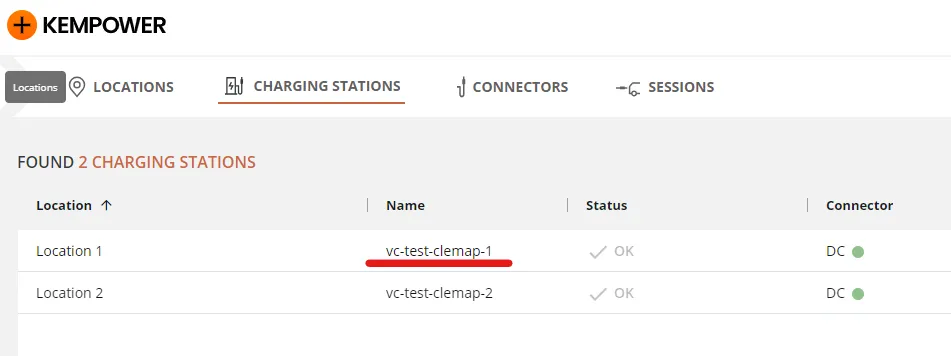
1) In your ChargeEye Account look for charging stations and then pick your charging station name. In this example case it would be vc-test-clemap-1.
Make sure your account is able to control chargers via dynamic load balancing. This might require a special license.
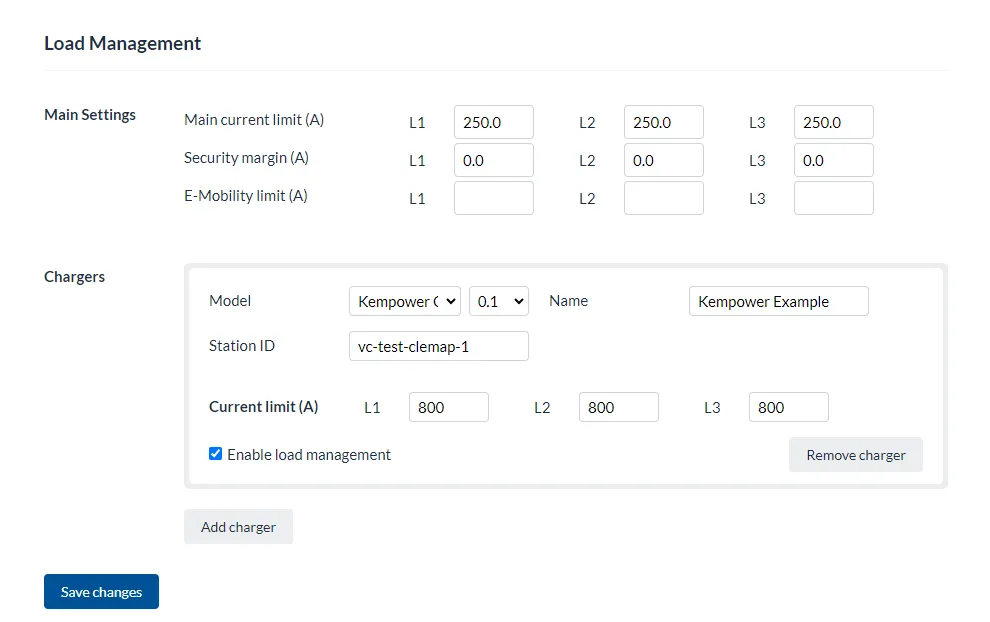
2) In your Clemap Device enter the local Web Interface (in the browser ip_address:4000). Select Kempower Cloud as model. Enter the station name you got from ChargeEye.
Please note that this is the main charger who acts a Master for all the other chargers in the constelation, this plugs will be added dynamically by our device:
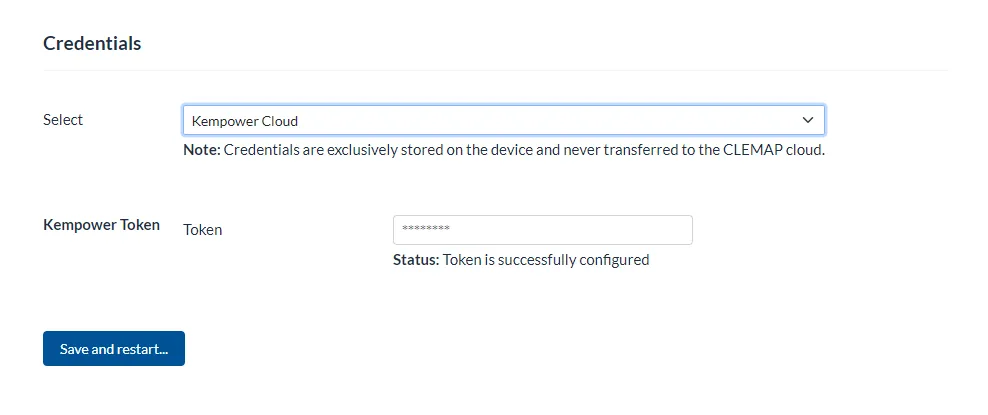
3) Now you go to the Credentials Tab in the local Web Interface of your Clemap Device. There you go and select Kempower Cloud. Cloud provider access data
And enter the unique token of your ChargeEye account.
Please note that this token will only be encrypted locally in the device, we have no access to it.
Here is how to obtain a token:
Contact Kempower support by e-mail at [email protected].
Clearly state “API Token / ChargEye Token” in your request.
Provide the following information:
- Company name
- Site or project name
- ChargEye account name
- Serial number or name of the affected Kempower charging station
- Reason for the token request: integration with the external load management system CLEMAP
4) Click save and restart. Wait for the reboot of the device and now the charger and the plugs should stand as Idle.
Happy Charging!