Kempower via Modbus
Make sure your charger is on firmware version 3.4.3 or later before proceeding.
This is the minimum version on which this interface has been tested. If needed, update your charger first.
1) Connect the Modbus Port to the LAN
Plug the Modbus port (point #9 on the charger) into the same Local Area Network (LAN) as the CLEMAP device.
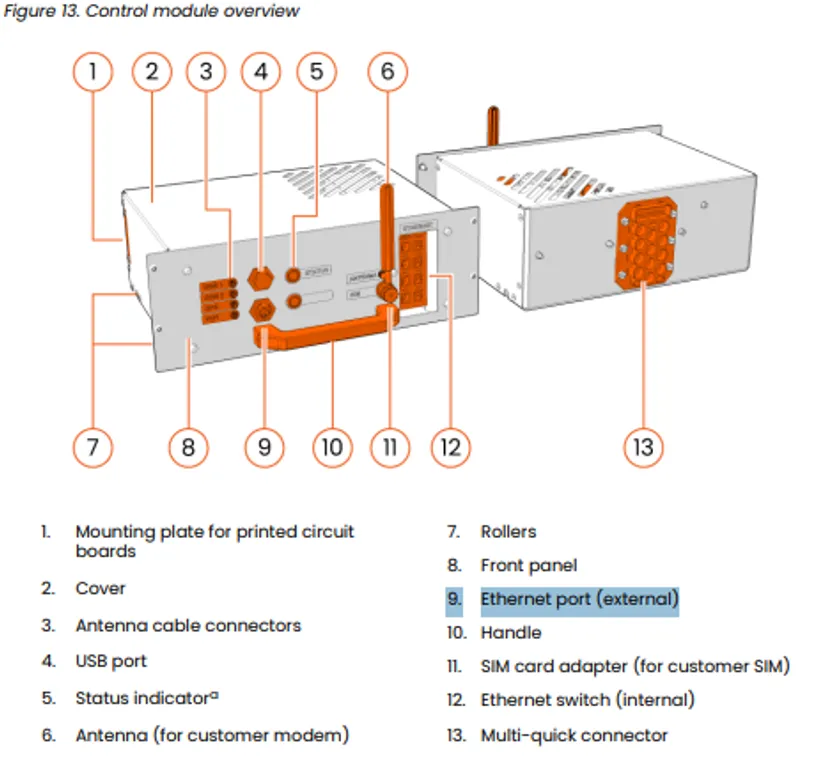
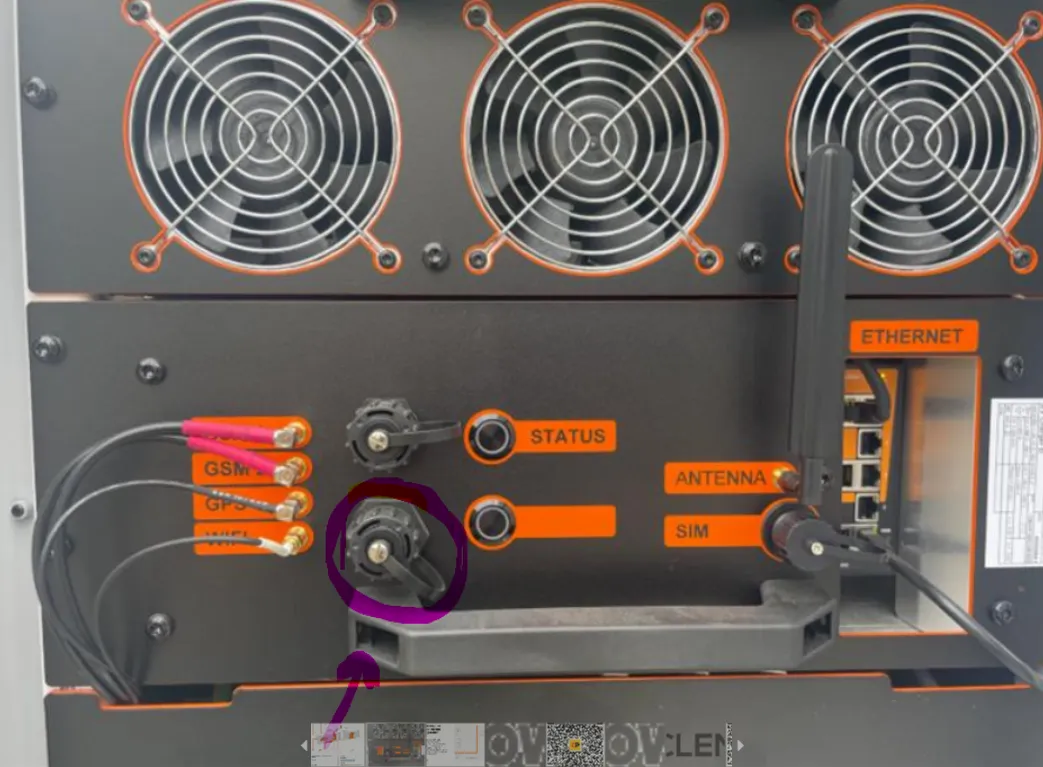
2) Set a Static IP Address
In the Chargeye platform, assign a static IP address to your charger.
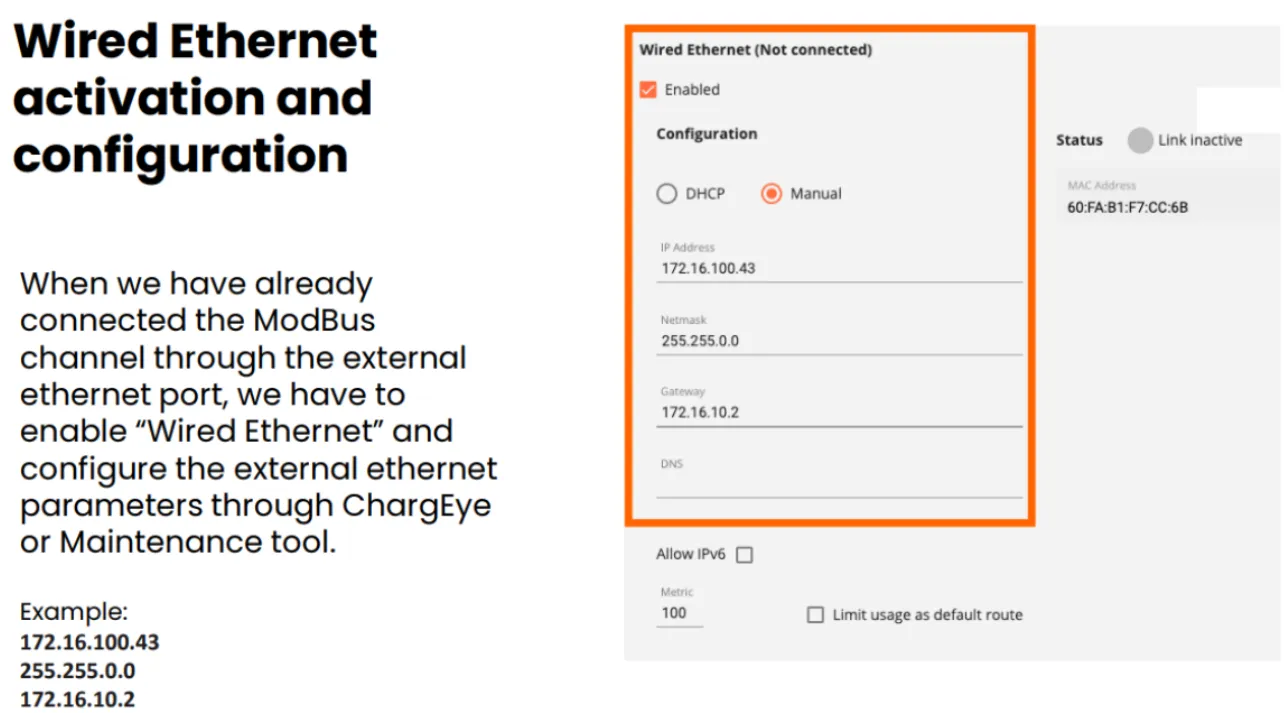
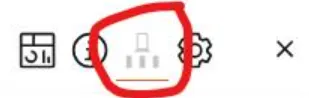
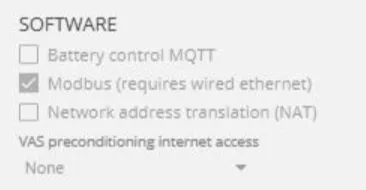
3) Activate Modbus on the Charger
Enable Modbus in the charger settings, then restart the charger for the change to take effect.
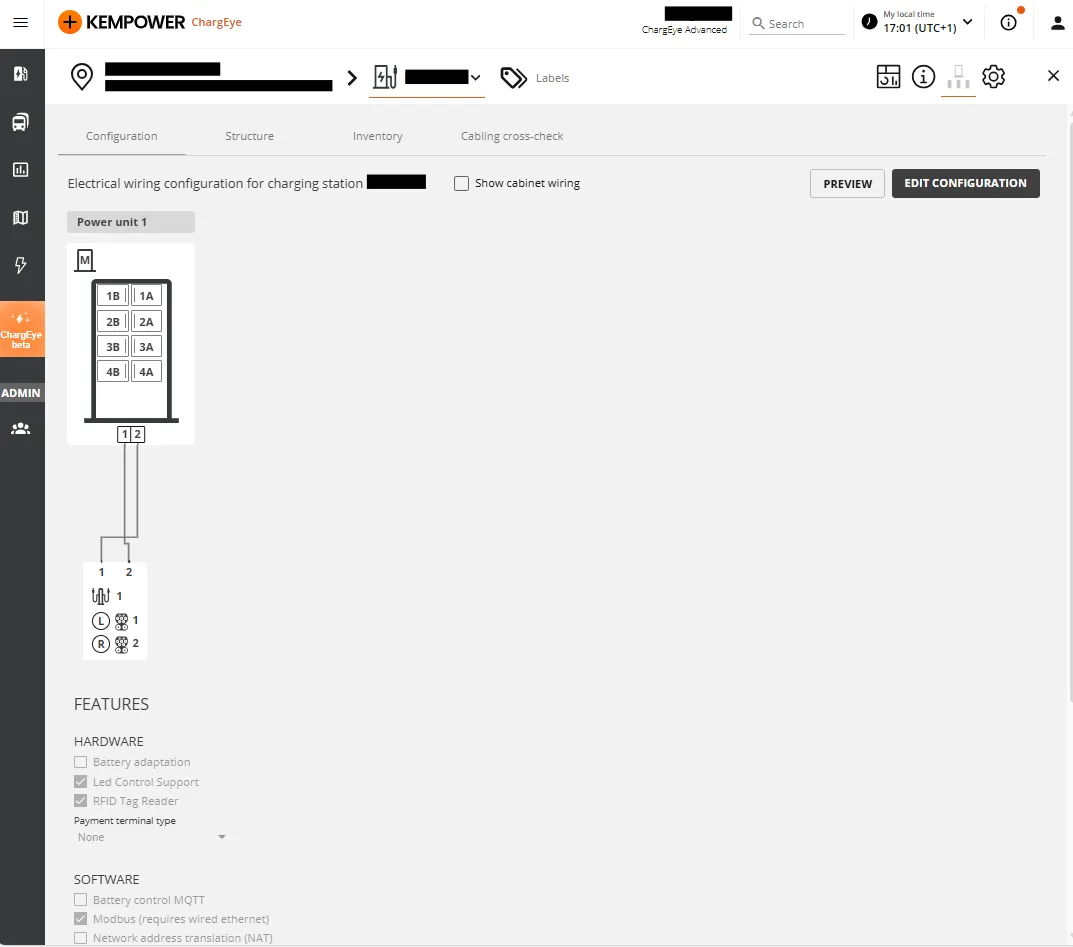
4) Selecting the Right Plug in FLOEM
Each satellite unit can have multiple connectors. To find the correct plug number, use the following formula:

Plug number = (Satellite ID − 1) × 3 + Connector number
Example: Satellite 1, Connector 2 → (1 − 1) × 3 + 2 = Plug 2
The image below highlights this in purple — Satellite 1, Connector 2 gives Plug 2:
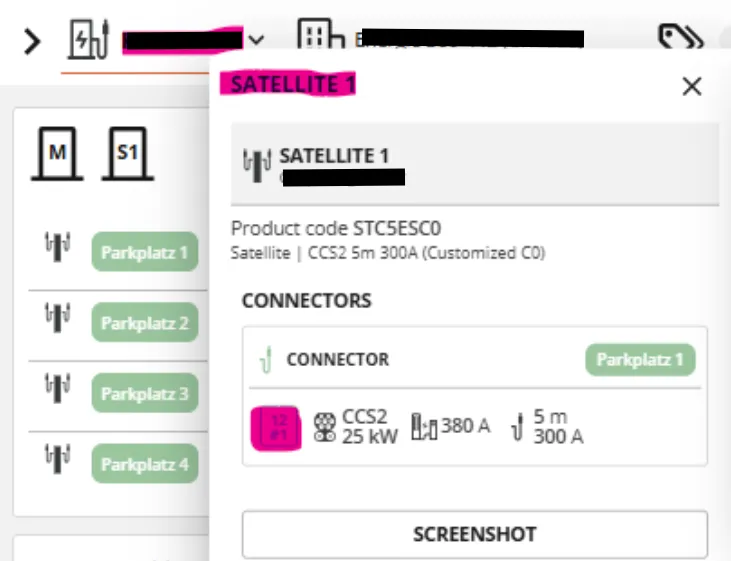
To find your satellite and connector IDs, go to Charger Menu → Hardware. You will see all satellite IDs and their associated connectors.
In the example below, the satellite/connector combinations 12, 22, and 32 map to plugs 2, 5, 8, and 11:
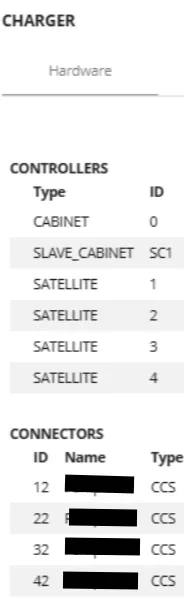
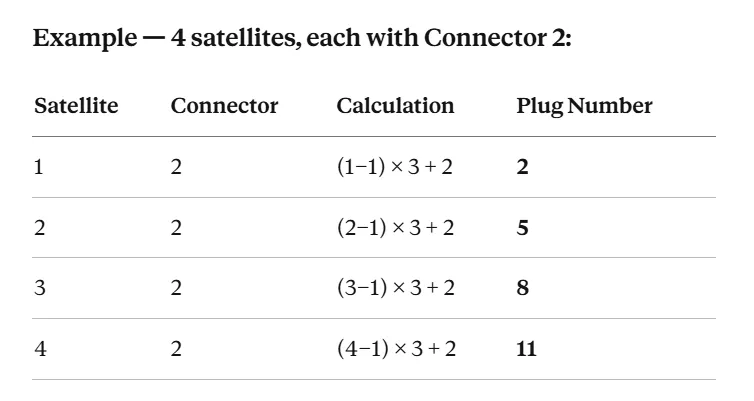
Even though these are 4 different satellites, they all share the same Modbus server, so in FLOEM you use the same IP address for all of them. The port is 502 (standard Modbus TCP).
In FLOEM, add each plug as a separate resource:
- Kempower Plug 2
- Kempower Plug 5
- Kempower Plug 8
- Kempower Plug 11

Happy Charging!