Zaptec Pro, Home and GO
Prerequisite: The integration runs over a cloud-to-cloud connection – an active internet connection is required.
For Zaptec charging stations, we recommend setting the minimum current of the circuit to 16 A in CLEMAP.
Retrieve Installation ID
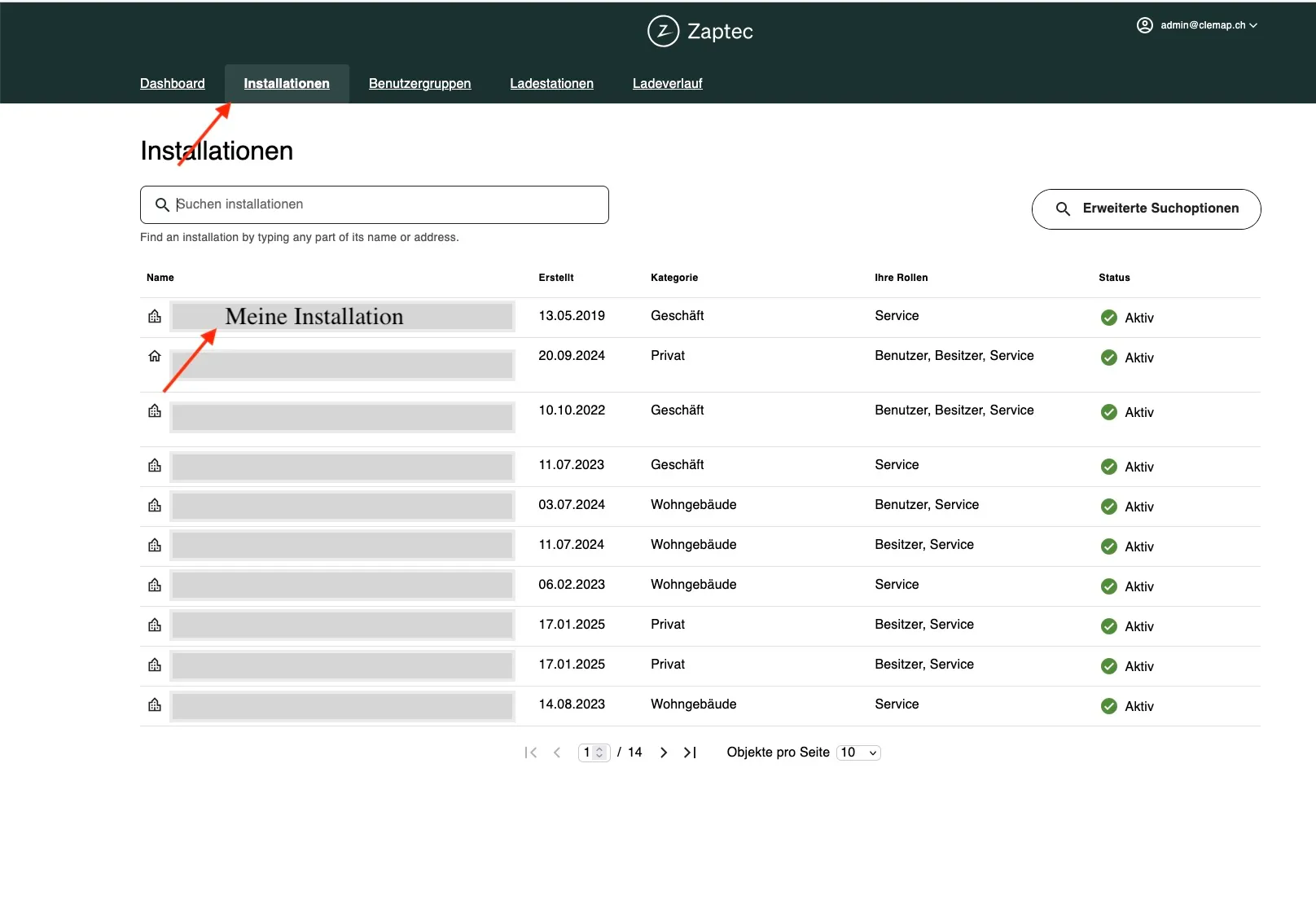
- Open the Zaptec Portal and navigate to the Installations tab.
- Select the desired installation.
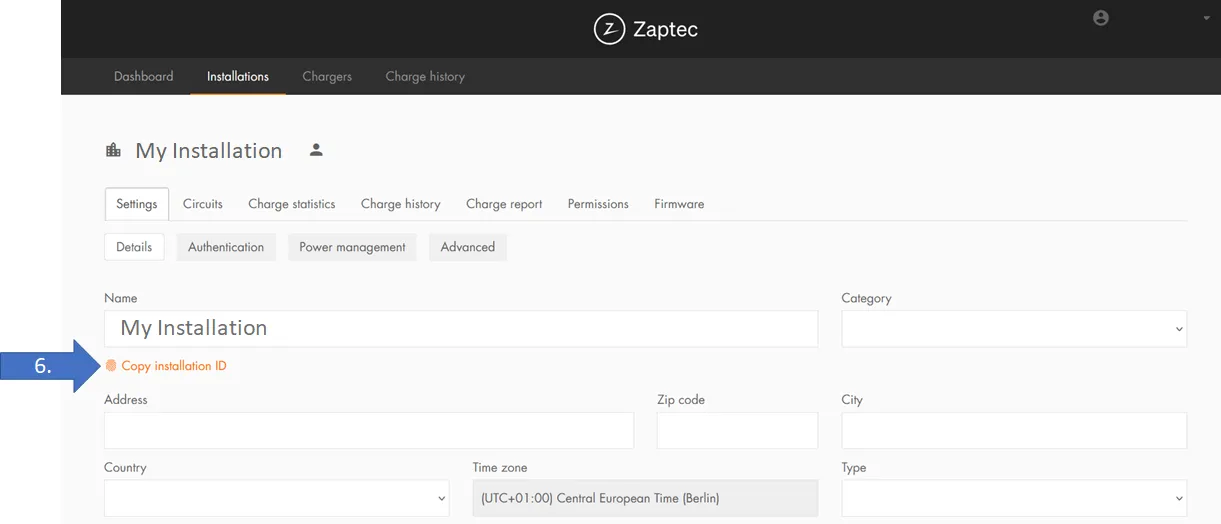
- Copy the Installation ID.
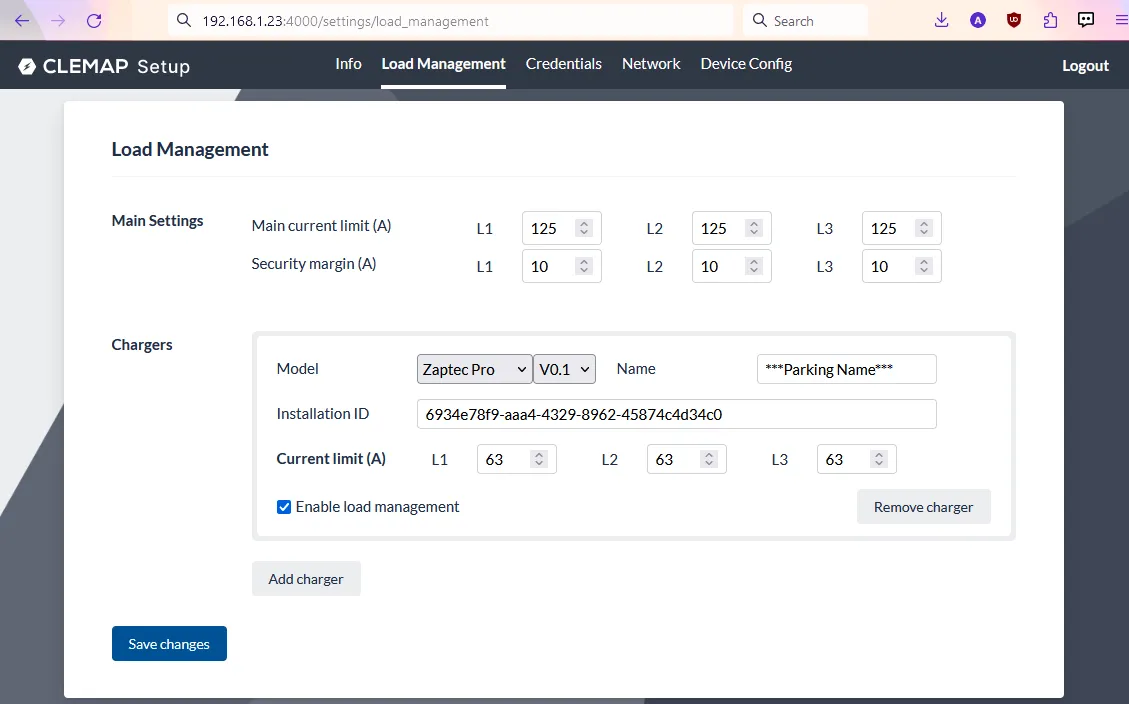
- Switch to the EV Charger Setup in CLEMAP Load Management, select Zaptec Pro as the charger type, and paste the Installation ID.
Note: Enter the circuit breaker rating, not the limit of an individual charger. In the example shown, the circuit is protected at 63 A and the main fuse at 125 A.
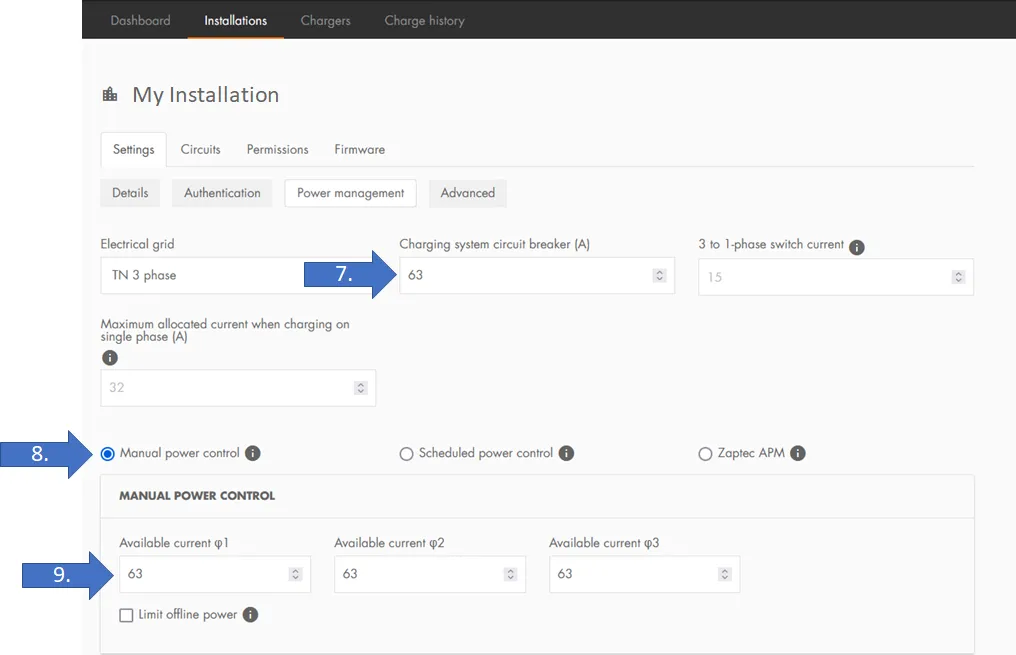
Configure Power Control in Zaptec
Navigate to Settings → Power Control in the Zaptec Portal and configure the following:
- (7.) Enter maximum circuit breaker values
- (8.) Enable manual power control
- (9.) Enter available total current per phase (CLEMAP will dynamically override this value during operation)
CLEMAP Load Management automatically adjusts the available current in real time.
Configure Credentials
Enter your Zaptec credentials (username and password) in CLEMAP Load Management to enable communication with the Zaptec Cloud.
Detailed instructions: Cloud-Anbieter ZugangsdatenCloud Provider Credentials