EVTEC Modbus 2.0
A known bug currently exists on the CLEMAP side related to Modbus 2.0. This issue has been resolved starting with firmware version 4.13.4. If this firmware version is not yet available to you, please contact our support team. We will be happy to provide you with the corresponding fix so that you can use Modbus 2.0 without any restrictions.
Please read the EVTEC page completely before starting the configuration.
1. Basic Principle
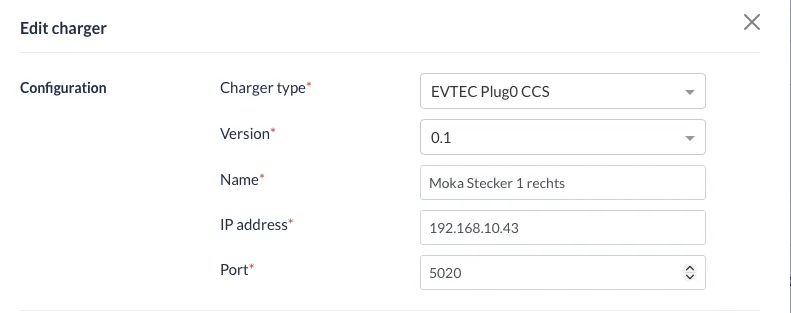
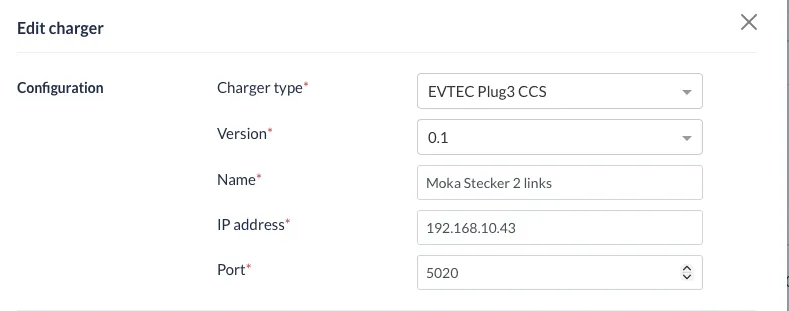
For the integration of an EVTEC charging station via Modbus 2.0, each charging connector (plug) must be configured as a separate charging station.
Only in this way can the load management between the individual charging connectors function correctly.
Important:
- The same IP address is used for all charging connectors.
- Port: 5020
2. Configuration of the Modbus Server
Before communication via Modbus is possible, the Modbus server must be correctly configured in the web interface.
Procedure
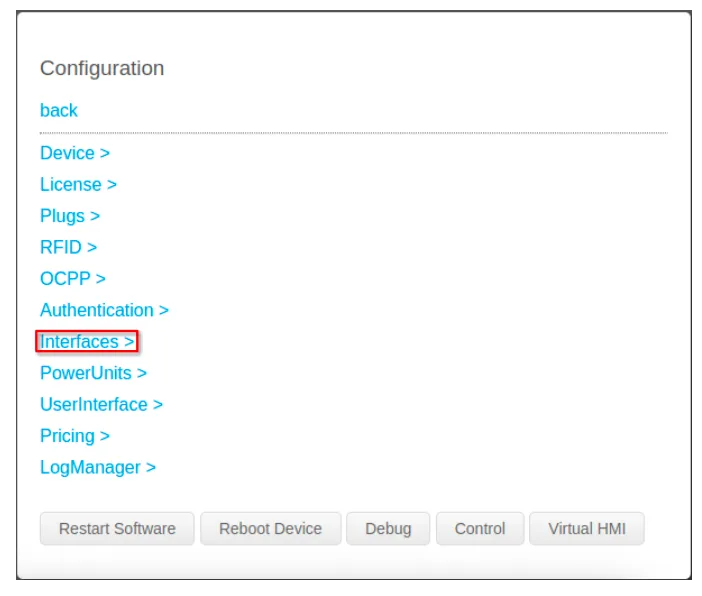
- Open the web interface of the charging station.
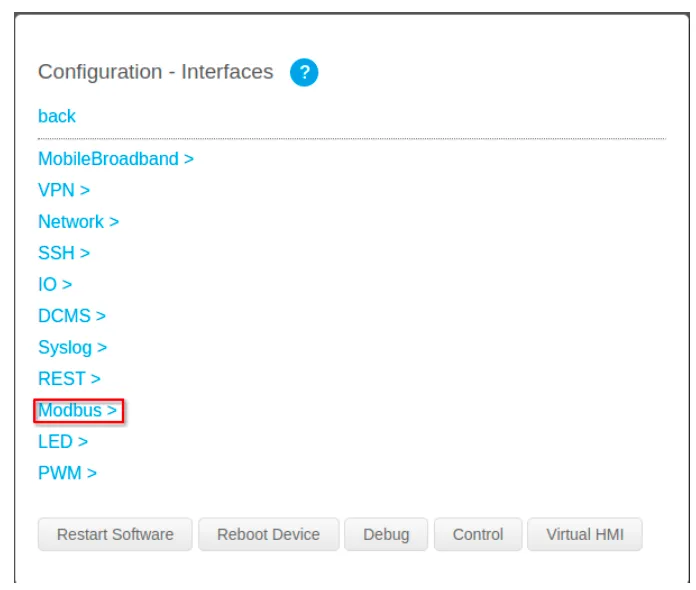
- Navigate to: Interfaces → Modbus
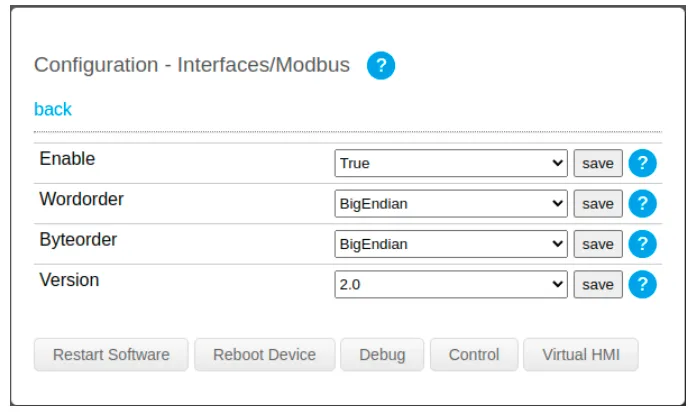
- Set Modbus Server to Enable in the dropdown menu.
- Configure Word Order and Byte Order according to the screenshot.
- Select Version 2.0.
- Click “Restart Software”.
Only after this step will the Modbus configuration become active and the server will be reachable via port 5020.
3. Selecting the Correct Charging Connectors
If you have questions regarding the configuration of the charging connectors, please contact the EVTEC service team: [email protected] / +41 41 322 23 86
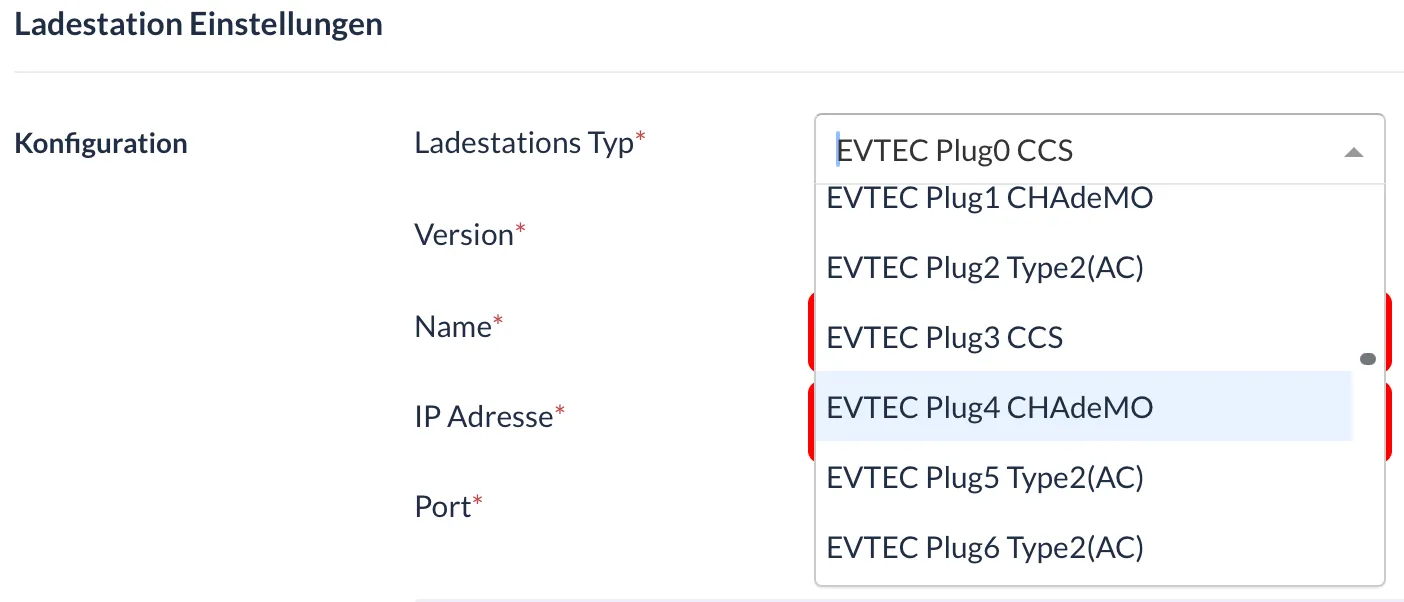
Several charging connectors are available during configuration.
⚠ Important:
- The charging connectors without “(Legacy)” must be used.
- Each charging station is equipped with specific charging connectors.
- Only physically installed charging connectors may be selected.
- Charging connectors that are not present must not be configured.
Example
If a station has two CCS charging connectors, the connectors corresponding to the hardware configuration must be selected (e.g. Plug0 and Plug3).