How do I update the firmware for CLEMAP products?
How do I update the firmware for CLEMAP Load Management or the CLEMAP Energy Monitor?
You have two options to update a device:
- Remote via Floem Available from version 4.9.x and higher
- Via the local web interface Available from version 3.11.x and higher
Up to version 3.11.0, only CLEMAP can perform the update.
How to keep your devices up to date and ensure they benefit from all new features and improvements.
- How to update remotely via Floem:
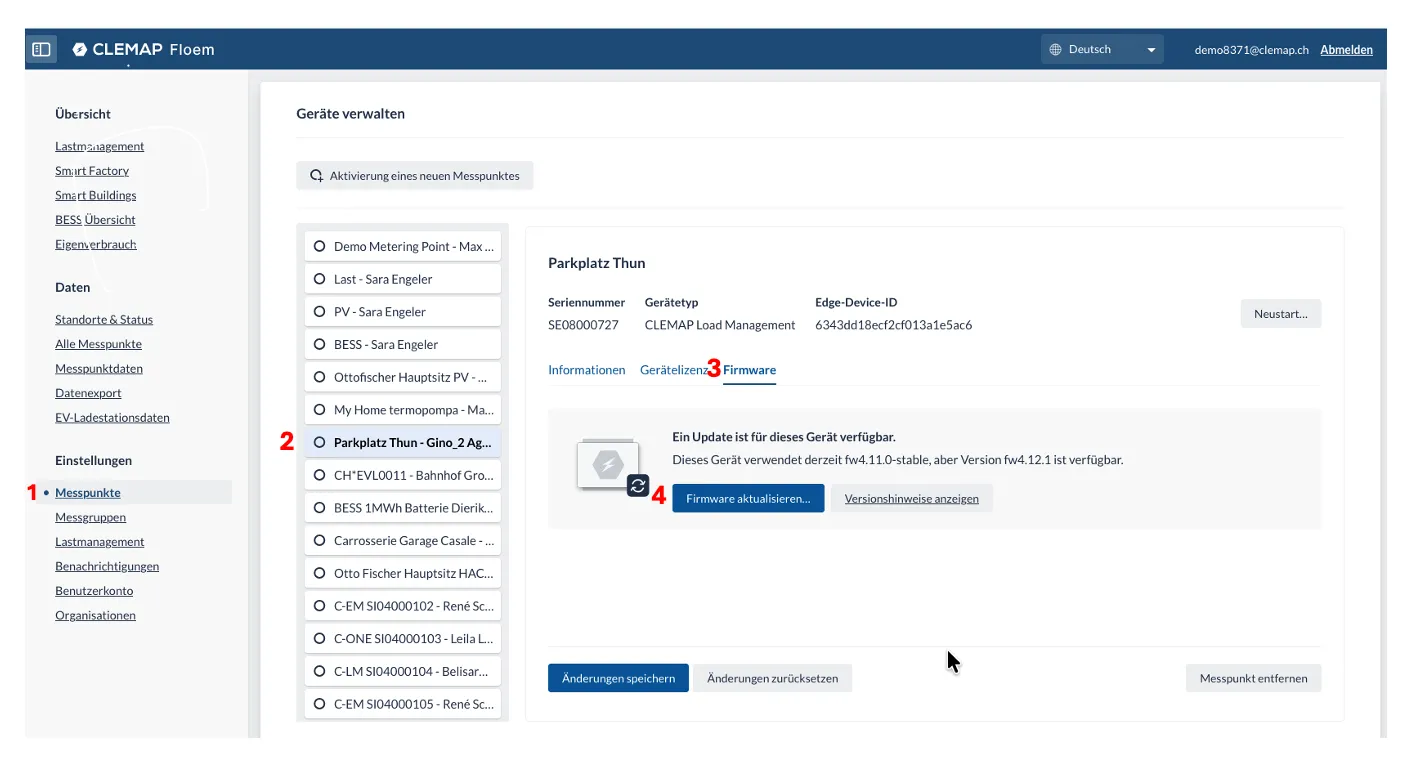
- Sign in to the CLEMAP Floem portal.
- Select the device you want to update. Open the device overview and choose the unit that requires a firmware update
- Open the Firmware section. You will see the currently installed version and any available updates.
- Start the update. Click Update Firmware and confirm.
- Wait until the update is completed. The device may reboot during the process. Do not interrupt the update.
- Verify the result. Once completed, the new firmware version will be displayed in the portal.
- Via the local web interface
For devices with firmware versions earlier than fw3.11.0, updates must be performed by CLEMAP. Please contact CLEMAP Support. Starting from firmware version 3.11.x, you can perform the update locally.
- Connect to the local CLEMAP web interface using:http://*IP_ADRESS:4000 (example: http://192.168.40.23:4000).
- Log in using:
- User: clemap
- Password: the serial number printed on the device housing
- Example: SE12345678
- Go to the Info tab and select Update to fwX.X.X.
Note: If you do not see the update option, the device either already runs the latest firmware or is using a special firmware version that can only be updated by CLEMAP.
In this case, please contact CLEMAP Support. They can perform the update remotely.
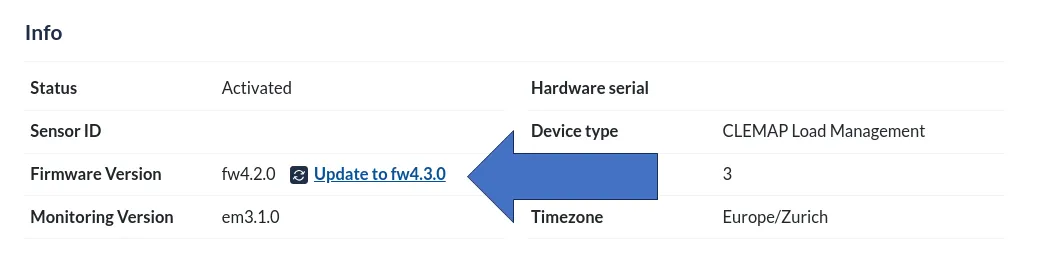
The CLEMAP Edge Device will now update itself.
If you have an older version, please contact CLEMAP to update the device.