How can I give someone access to a measuring group?
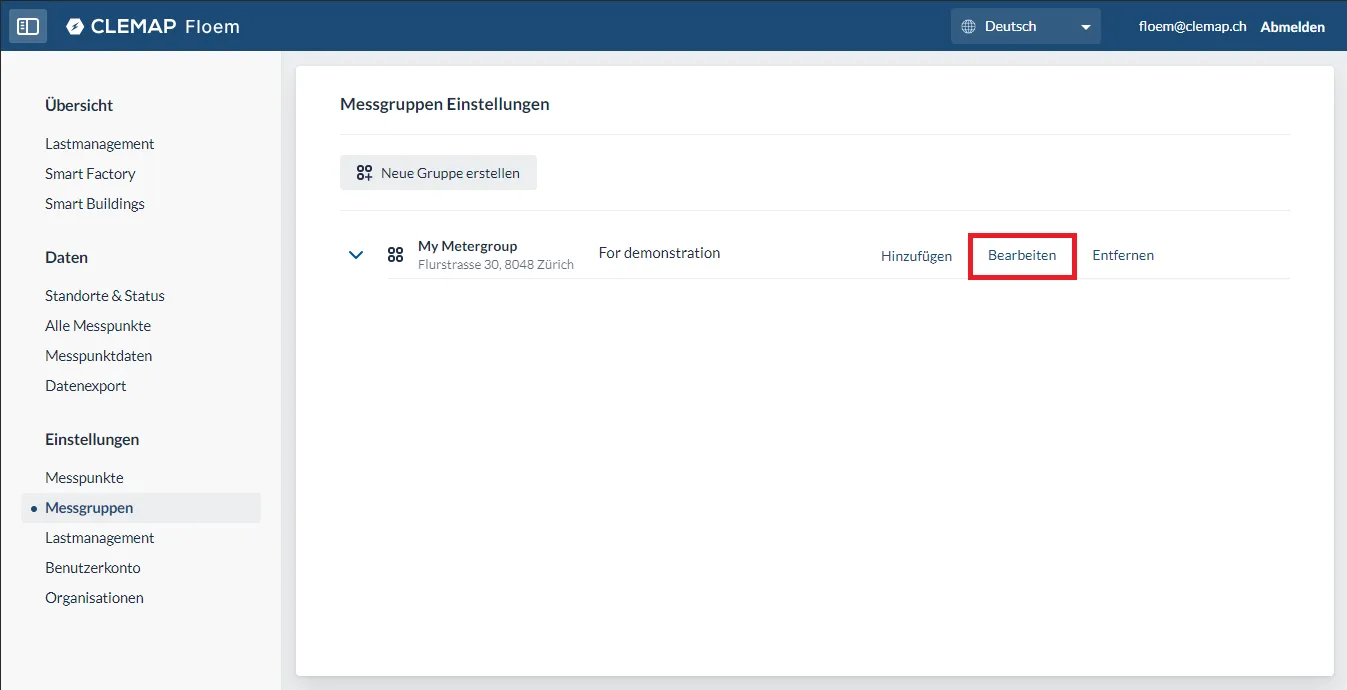
Measuring groups can be managed in the measuring group settings. Select "Edit" for the measuring group concerned to open a new window. Various settings can be adjusted here.
To manage access, select "User access". This shows a list of all users who currently have access to the measuring group, together with their permissions.
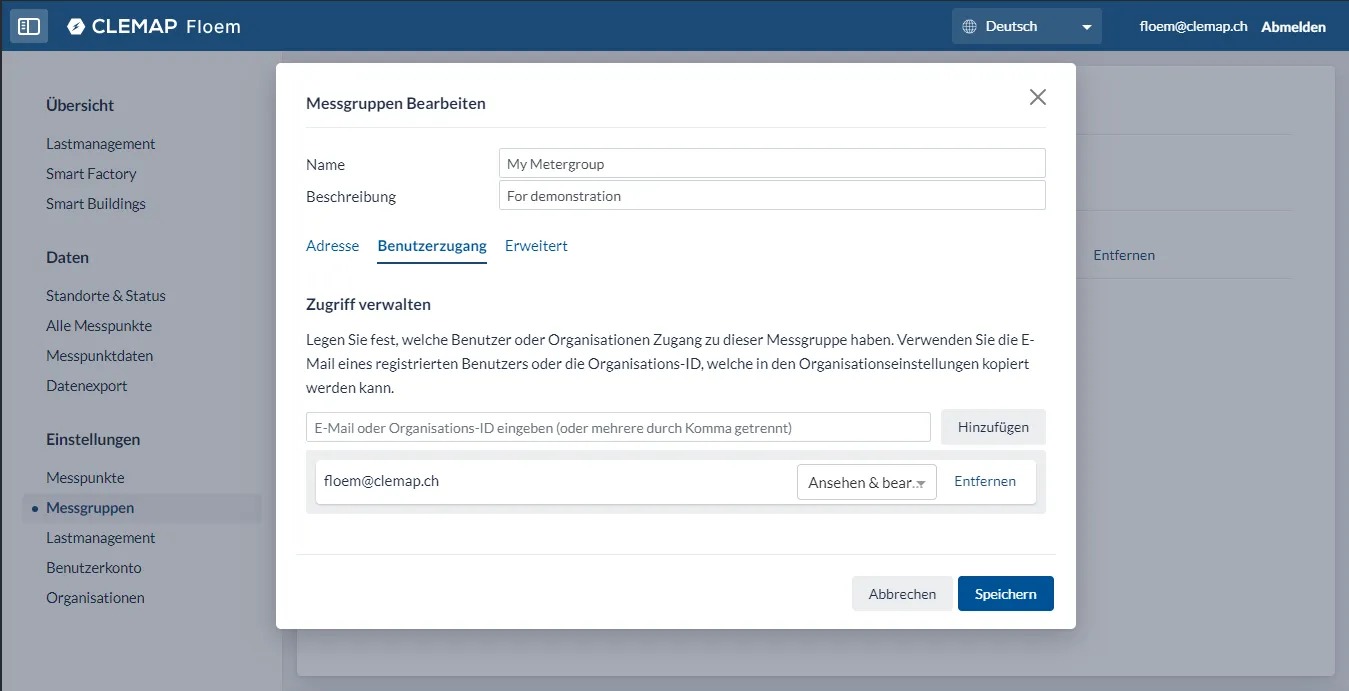
A new user can be added by entering and adding the e-mail address of a registered Floem user.
If an entire organisation is to be given access to the measuring group, you can enter the organisation ID instead of an e-mail address. You can find the organisation ID in the organisation settings. All members of the organisation then get access to the measuring group.