Technagon
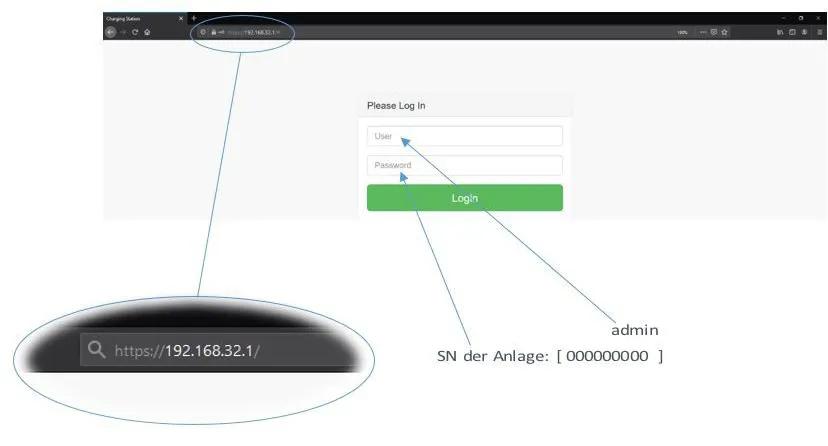
1. Access to the Web Interface:
- Make sure your device is connected to the local network.
- Use software such as Advanced IP Scanner to find the device’s IP address.
- Open a web browser and enter the device’s IP address in the address bar.
- Log in using the default credentials:
Username: admin
Password: device serial number
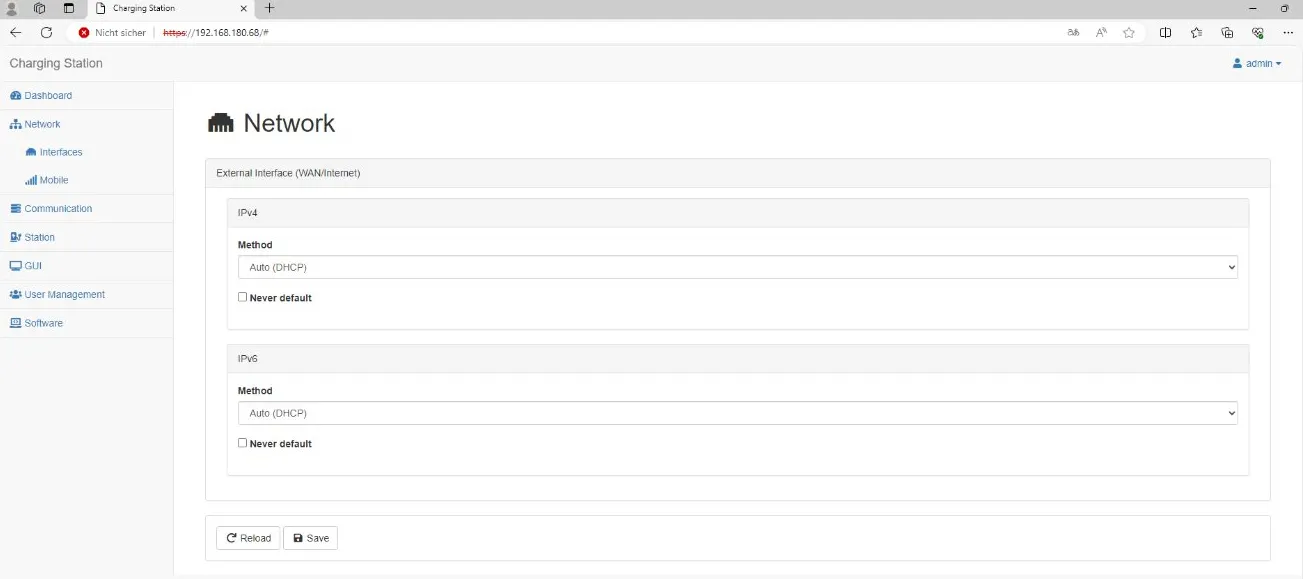
2. Network Configuration:
- Go to the Network menu.
- Set the method to AUTO (DHCP).
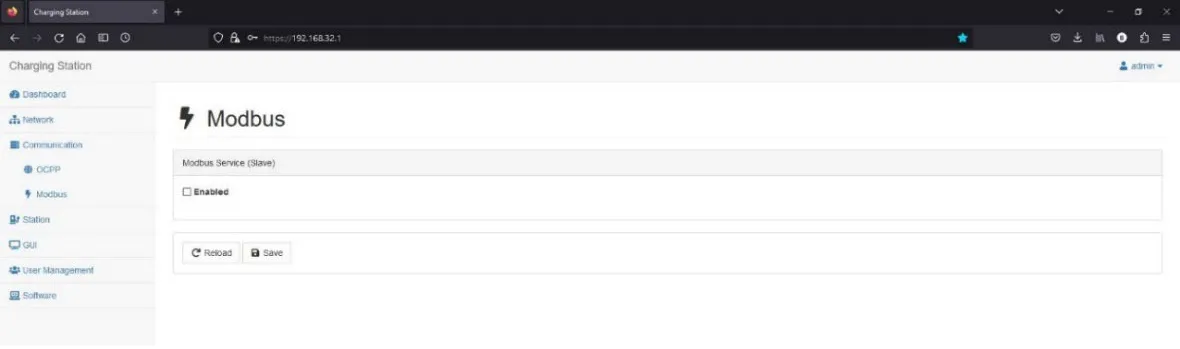
3. Modbus Configuration:
- Go to the Communication section.
- Enable Modbus TCP by clicking on Enabled.