Alpitronic Hypercharger
Please ensure that the limit configured by CLEMAP for the charging station is always set lower than the station’s maximum grid value (maxGridValue). Else the limits written by CLEMAP will be ignored by the station, giving all sorts of problems.
Update auf Alpitronic FW >= 3.1.0
- Update CLEMAP to FW 5.0.12 or later.
- Update the Alpitronic charger to FW 3.1.0.
- In FLOEM, change the charger configuration version to 3.1.0.
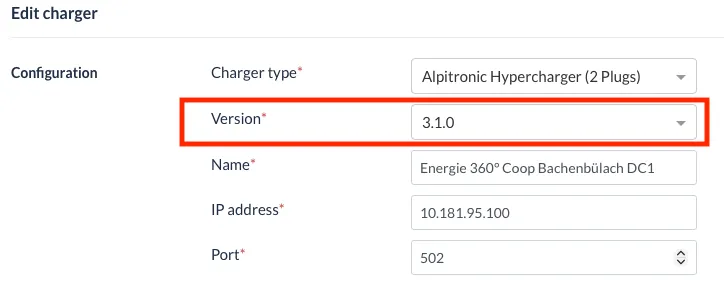
- Verify that ModbusTcpInterfaceEnabled = true. In FW 3.1, it defaults to false, so the Modbus interface may be lost during the upgrade.
- Test communication and charging control afterward.
Typical Hypercharge configuration on local Hypercharge webinterface. MobBus Enabled shall be set to True. Grid Fallback Timeout shall be set to 5 seconds.
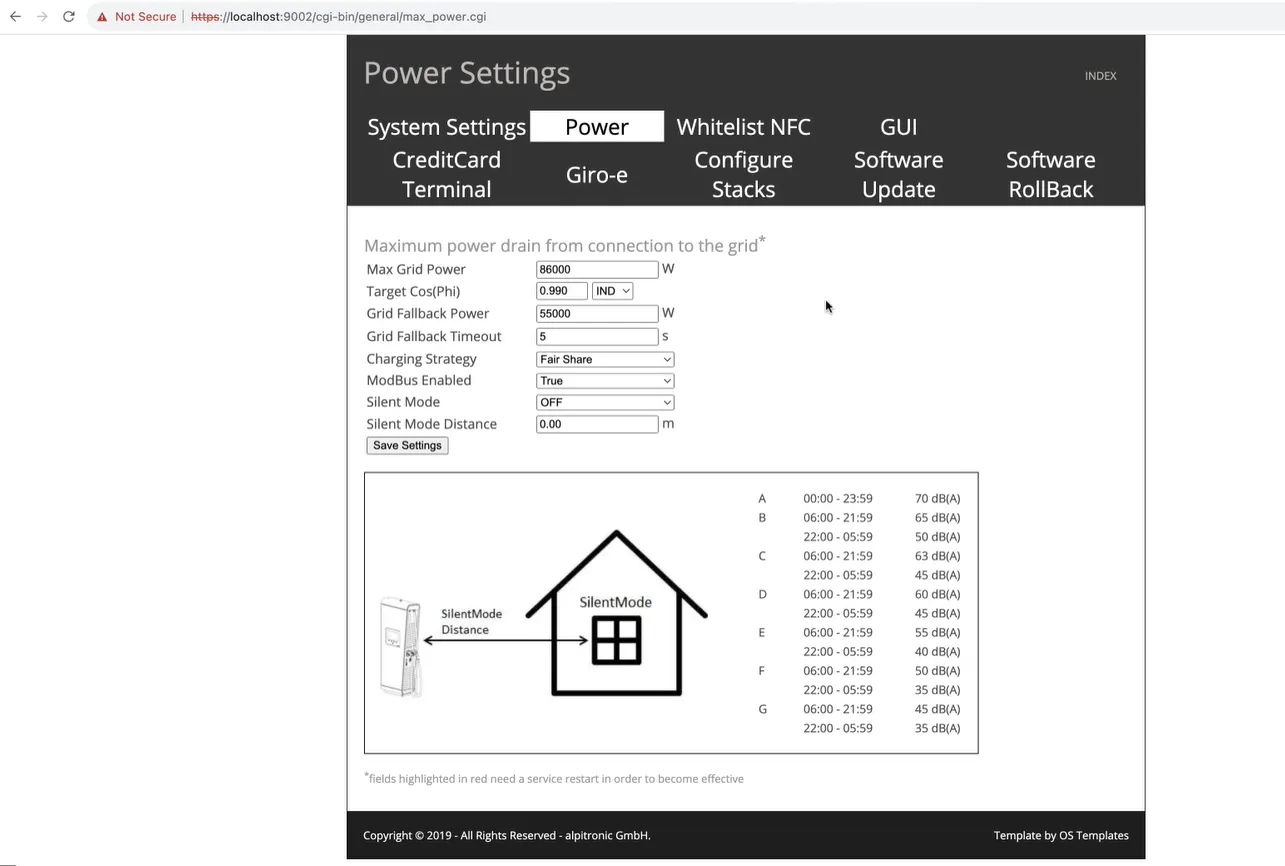
Hypercharge configuration
Eventually call the alpitronic service desk so that they activate modbus on your charger from their backend: +3904711961333
Enter the Hypercharge IP Address and Port 502 on the CLEMAP Load Management configuration page.
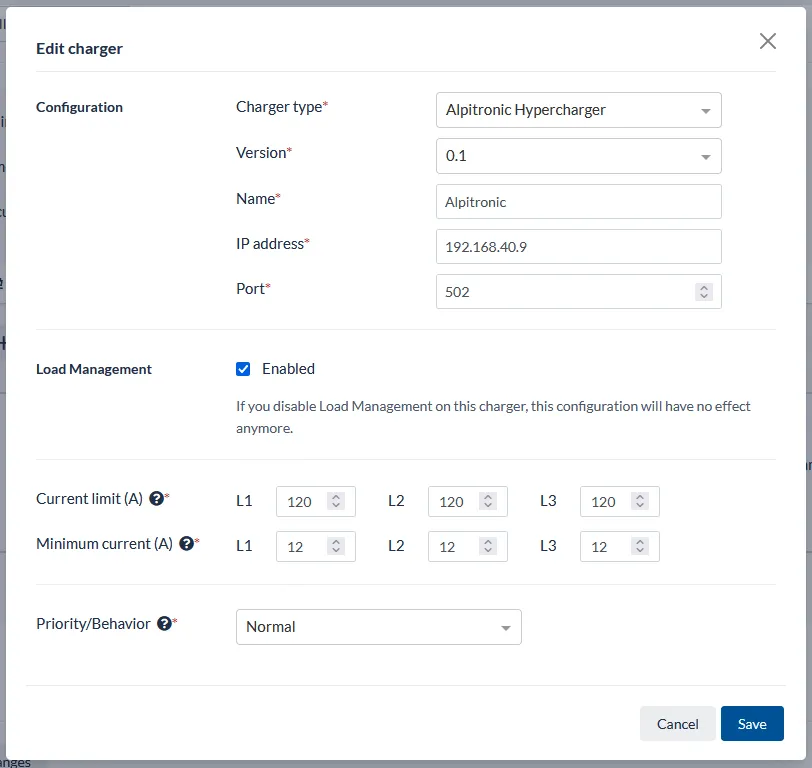
Example of Hypercharge configuration
Happy charging!