Keba P30
For the P40, the settings must be made in the corresponding app and not in the browser.
The app can also be used for the P30.
Android: Google Play Store – KEBA eMobility App
iOS: App Store – KEBA eMobility App
KEBA P30 / a-series
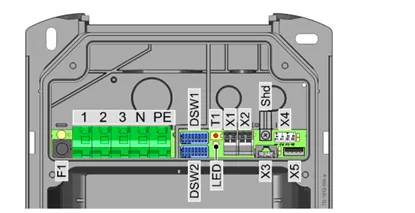
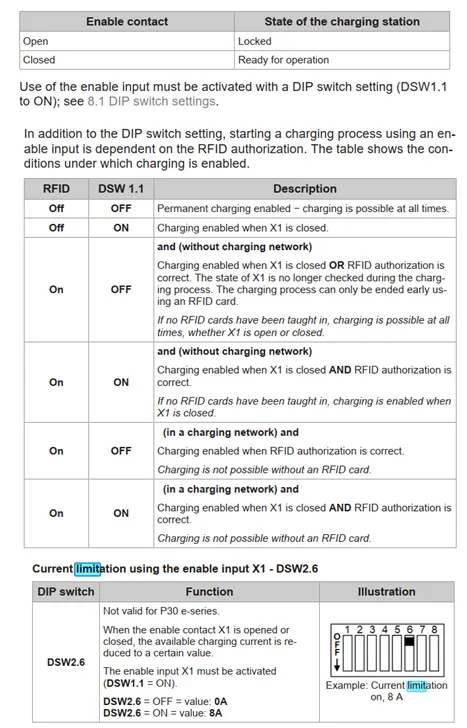
- Enable Input DSW1.1 to ON.
- Connect C-LM OutA+ to KEBA X1/left, OutA- to X1/right.
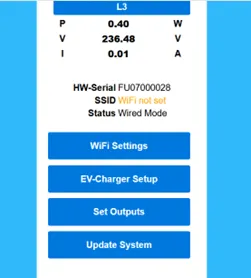
- Set Outputs on C-LM local webinterface Set Outputs.
KEBA P30 x-series and c-series
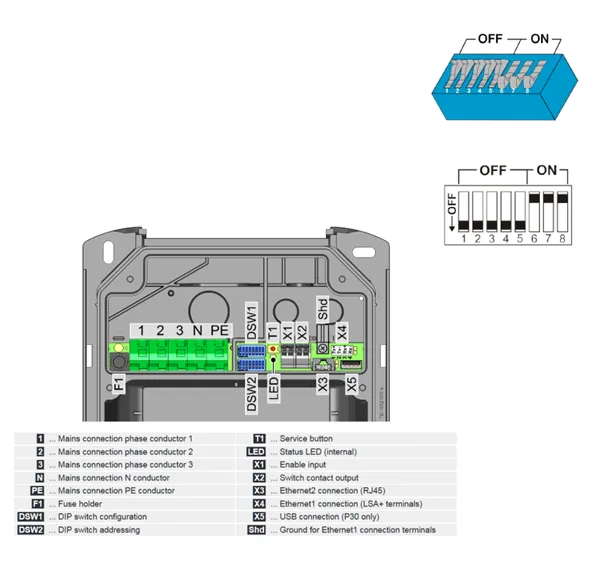
- DIP switches:
- DSW1.3 to ON (Modbus communication)
- DSW2.5 OFF (Communication in a proprietary charging network)
- Changes to the DIP switch settings only become effective after a restart of the charging station!
The following requirements have to be met in order to use the Modbus TCP functionality:
- KeContact P30 c-series with firmware version 3.10.16 or higher, or KeContact P30 x-series with software version 1.11 or higher.
- The charging station has to be connected (via LAN cable) to the same network as the application.
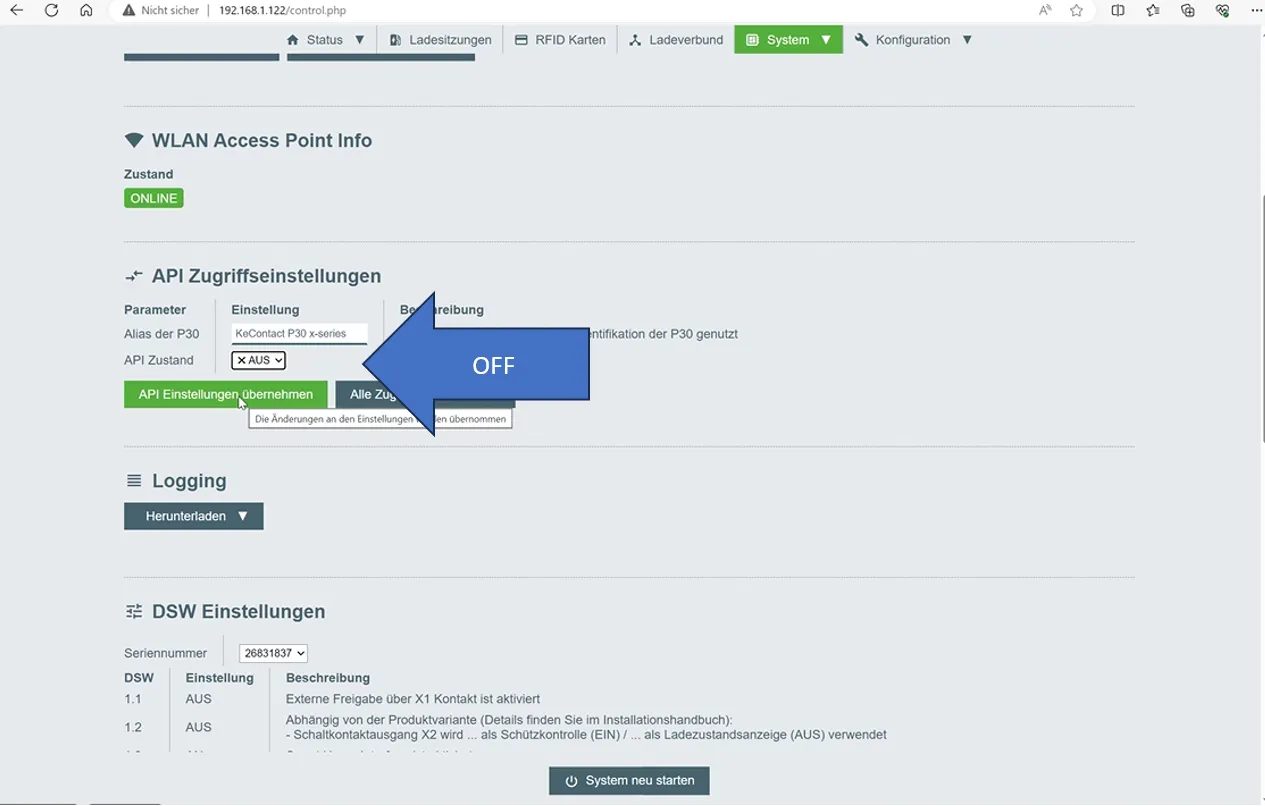
- Specific setting for the X-series in the local web interface of the charging station:
- API Access Settings --> API Status --> OFF
- Finally, add the charging station to the list of charging stations connected to CLEMAP Load Management.
| |
|---|---|
IP Adress | Local IP address of the charging station. For example: 192.168.1.103 |
Port | 502 |
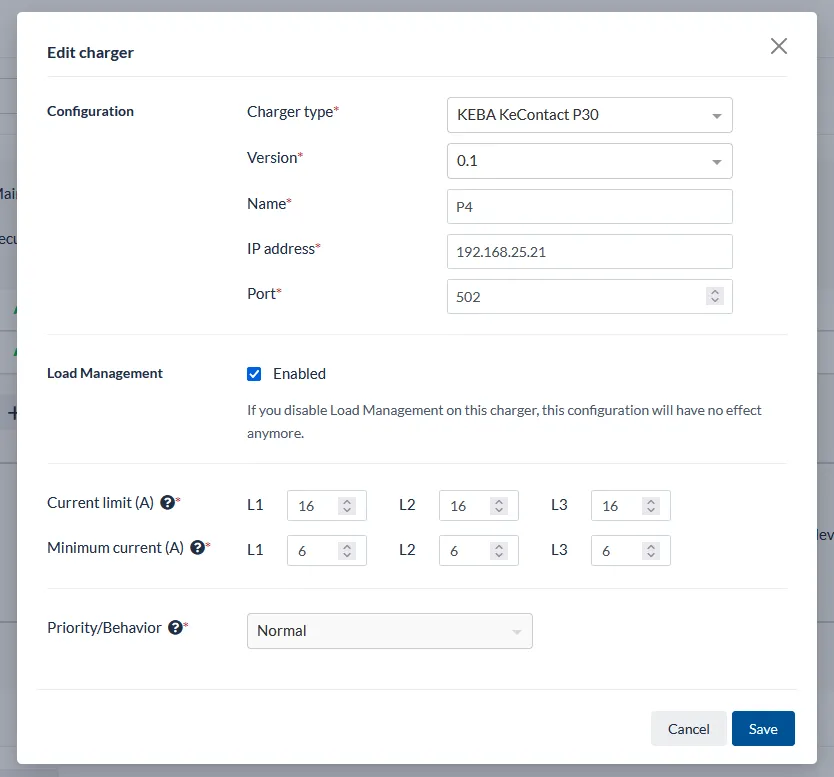
Example configuration of a KEBA P30 c-series.